Adding balance
The panel includes an automatic payment system with cryptocurrencies and card payments, so you can add balance to your account without waiting for manual approval.
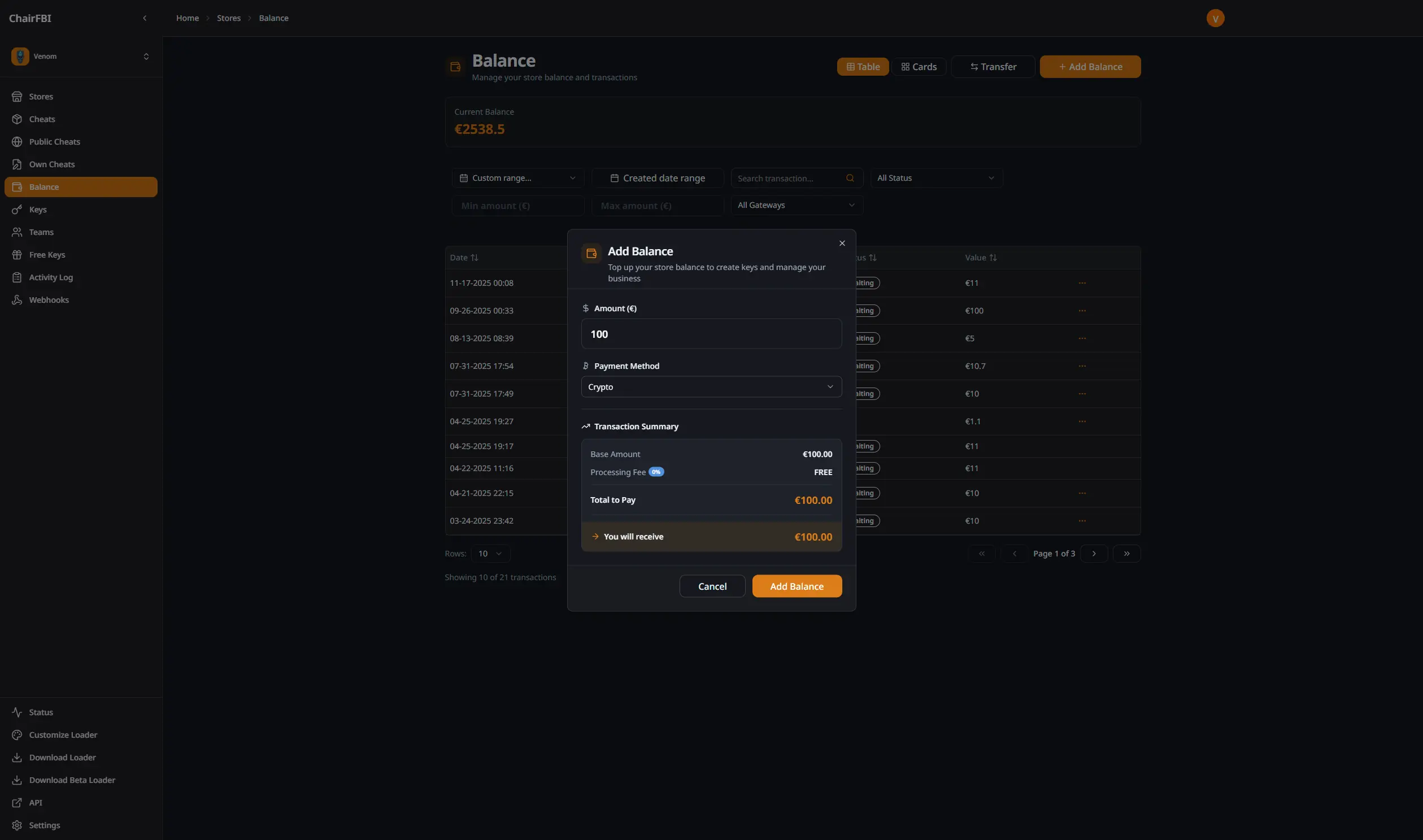
Payment Methods
Cryptocurrency
Pay with supported cryptocurrencies for near‑instant balance additions. Payments are processed automatically and your balance is updated as soon as the transaction is confirmed on the blockchain.
Credit/Debit Cards
Use your credit or debit card for quick and secure payments. Card payments go through a secure gateway and your balance is usually updated within a few minutes.
Transfer Between Stores
If you manage multiple stores, you can transfer balance between them directly from the balance page. Move funds instantly to manage your store network and redistribute balance based on demand.
Transaction History
The balance page keeps a complete history of payments, transfers, key purchases and their status (pending, completed, failed).
Payment Status
Transactions display clear status indicators:
- Completed: payment successfully processed and balance added.
- Pending: payment is being processed.
- Failed: payment could not be completed.
Filtering System
Find specific transactions using filters for payment reference, amount range, gateway type, date range or status.