Activity Logs
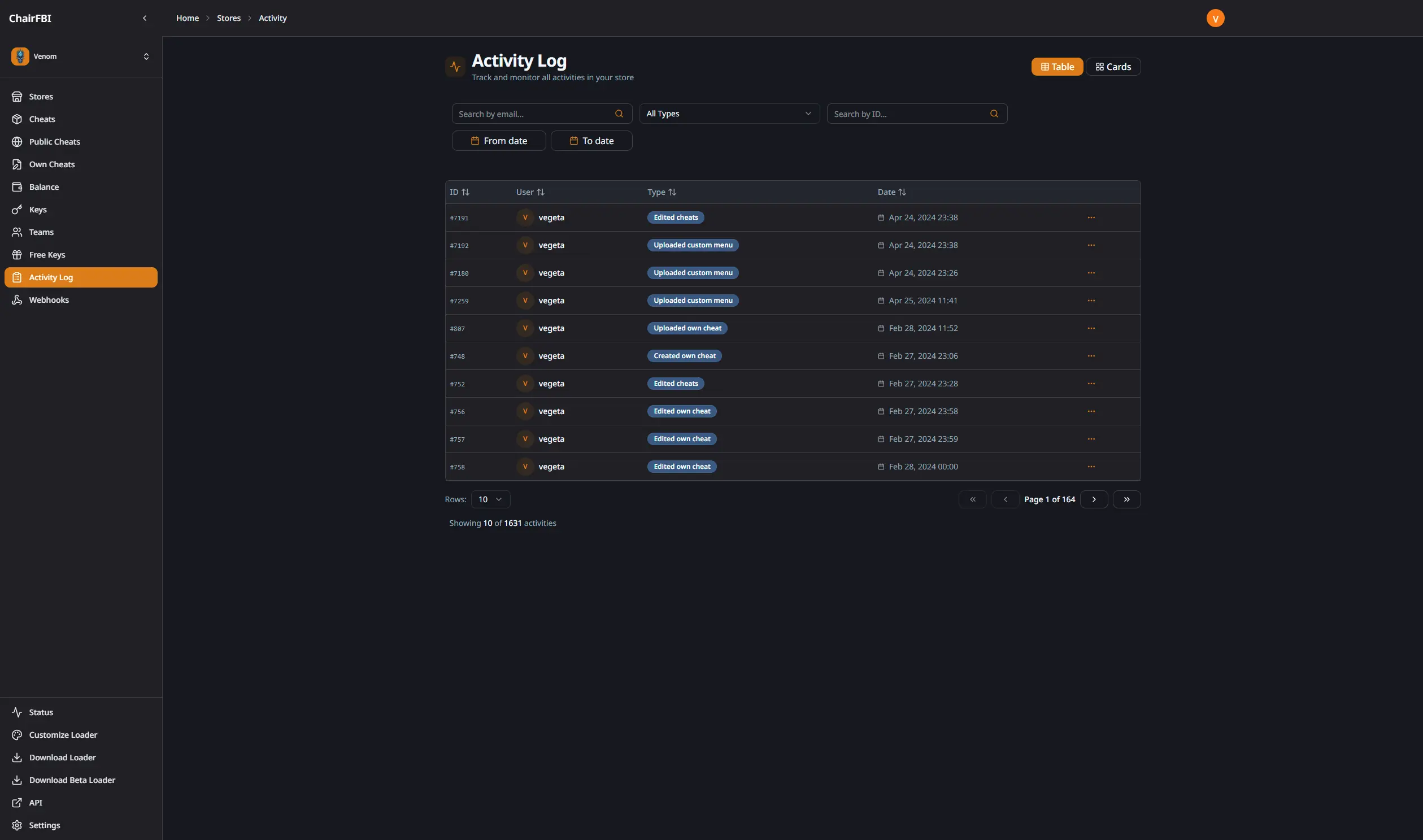
The panel includes an activity log system that records important actions in your account. It helps you recover information about keys you created in the past and see what your staff is doing according to the permissions you granted.
What is Tracked?
The activity log system automatically records important actions performed in your panel, including:
- Key Management: creation, deletion, HWID resets, key extensions, pause/unpause actions.
- Balance Operations: balance additions and transfers between stores.
- Team Actions: actions performed by team members with their assigned permissions.
- Configuration Changes: updates to store settings, webhooks and other configurations.
Each activity entry includes:
- the action type,
- who performed the action (email address),
- when it was performed (timestamp),
- related details such as key ID and amounts.
Activity Details
Click any activity to view complete details about what happened. The details modal shows all relevant information about the specific action.
Filtering Activities
The activity logs include a filtering system that lets you search by user email, activity type and date range. This makes it easier to audit specific actions or find historical information.
Use Cases
Key Recovery: if you accidentally deleted a key or forgot its details, the activity log can help you recover that information.
Team Monitoring: track what your staff members are doing with their panel access, and check if they follow your guidelines.
Security Auditing: review actions performed on your account to detect any unauthorized or suspicious activity.
Compliance: keep records of transactions and key operations for your own reporting.
Best Practices
- Review activity logs regularly to ensure all actions are authorized.
- Use filters to monitor specific team members or action types.
- Keep track of financial operations through balance‑related activities.
- Export or document important activities for your records when needed.