Teams & permissions system
Our dashboard is unbranded, so you can share it with your staff and let them help manage your store without exposing ChairFBI branding to end customers.
All access is controlled by permissions you define. Staff members can only see and perform the actions you allow, and they cannot create stores or access stores they were not explicitly invited to.
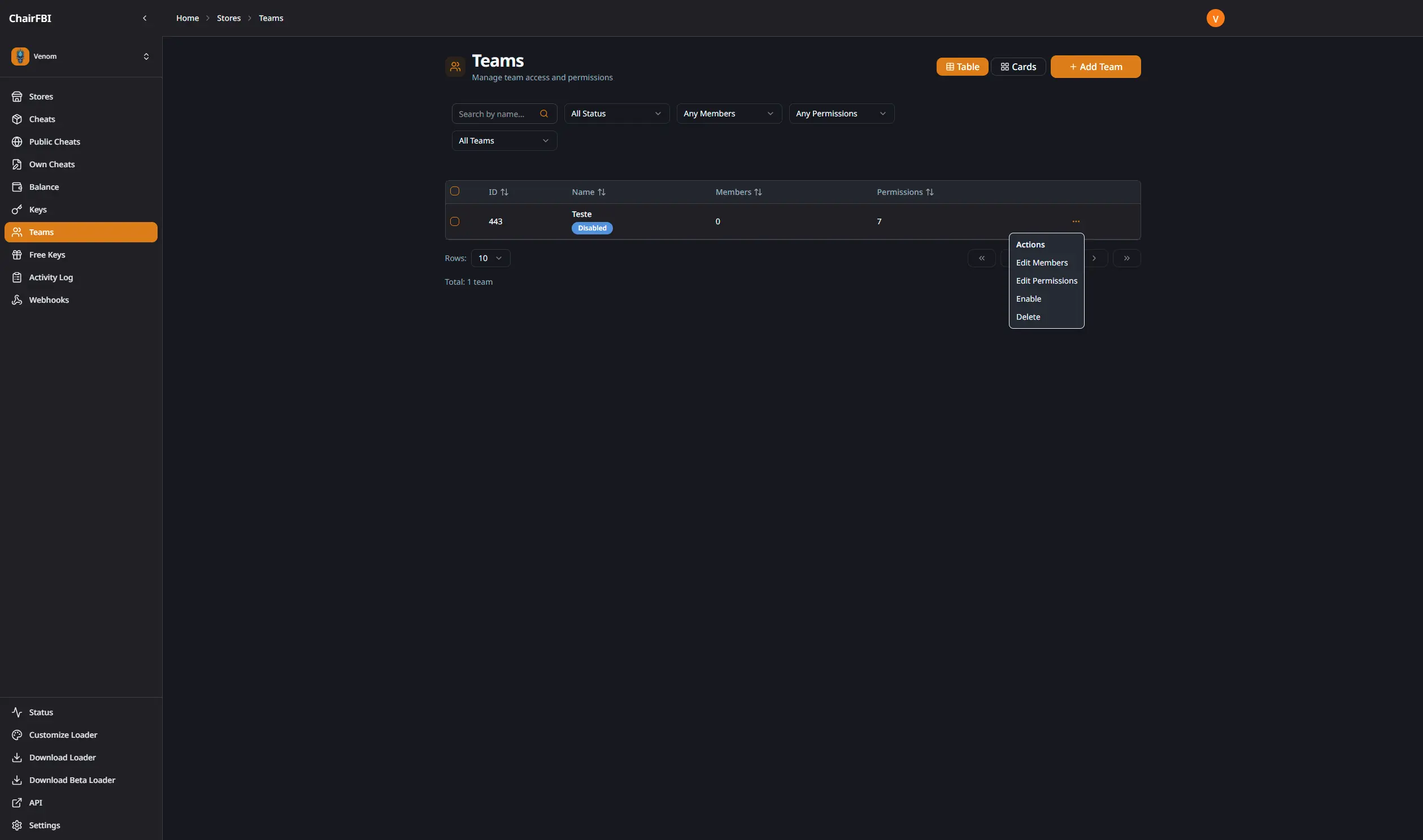
Granular Permission System
Control exactly what each team can do with permissions grouped by functionality:
Key Management: View, create, edit (HWID reset, extend, pause/unpause), and delete keys
Balance & Financial: View balance, add balance, transfer between stores
Cheat Management: View cheats, manage (add/edit/remove), upload custom menus
Webhooks: View and manage webhook configurations
Activity Monitoring: Access to activity logs
Store Settings: View and edit store configuration
Team Management Features
- Add members by email
- Remove members
- Modify assigned permissions
- Track member activity in activity logs
- Create multiple teams with different permission sets
- Teams and permissions are configured per store, so a staff member only sees the stores and features you explicitly grant.
Security
- Team members cannot create new stores
- Team members cannot modify permissions
- All team actions are logged in the activity system
- Team members cannot access other stores in your multi-store setup